Mirrored Care · Family

Only what the patient chooses, seen together

My Beanie rests on two pillars: the patient's own management and caregiver mirroring. The person cooking and the person logging see the same thing — but what to show is the patient's decision. Companionship, not surveillance.

How it works

Three steps, one link

No server, no account. The link the patient sends is the key.

01

The patient chooses

On the app's report screen, they tick what to show — eGFR and labs, blood pressure, weight, body signals, meal patterns, questions for the doctor, whether to show their name — plus the period (30 or 90 days) and scope (latest only or with trend).

02

Sends a link

"Send mirror card" builds a link containing only the chosen items and hands it to any messenger. Unchecked items are not in the link at all.

03

Family views it

Family opens the link in the phone app or on this page. It is read-only; keep it and it stays. A new link refreshes it.

See it together

The patient's screen and the family's, side by side

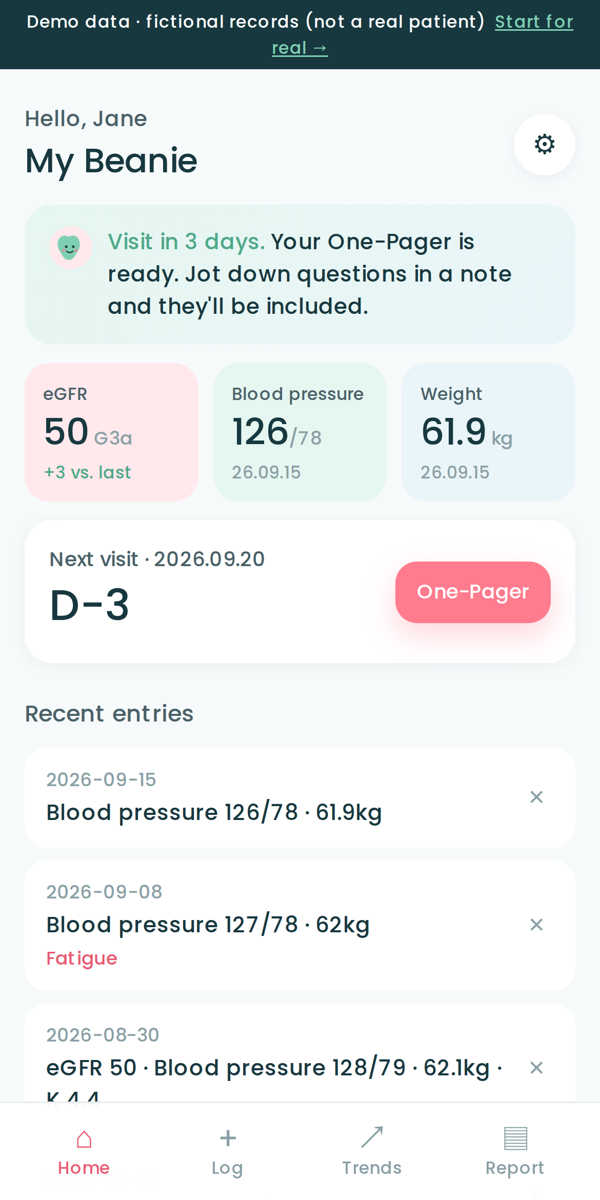
Left: the app the patient uses every day. Right: the mirror card that patient sent with only "eGFR, blood pressure, meal patterns, questions" selected. Fictional demo data.

Patient's app · app.kidneybloom.com
My Beanie home screen
Open the app demo →

Weight and body signals are absent because this patient did not tick them — absent from the link, too.

Open a mirror card

Open a mirror card you received

Paste the link a family member sent, or simply tap the link to land here and it opens automatically. A large-screen viewer for those who prefer a computer.

Saved cards

Cards you "keep in this browser" stay on this computer only. You can keep several — one for each family member.

This page sends the card nowhere. What you open exists only in this browser, and disappears when you close the page unless you keep it. A card is a snapshot from when it was sent, and not a medical device.
Coming with the server

Next — sign in and it's always current

Once a server and accounts exist, the patient turns on "keep sharing with …" and the family view refreshes on its own. The patient still chooses the items, exactly as now, and can switch it off any time. Introduced together with a consent screen.