Special · Dialysis Log

Dialysis days, on one screen

My Beanie is built to help people hold steady before dialysis is ever needed. But those already on dialysis have more to keep track of. Switch on "Dialysis log" in Settings and one more screen appears — and for most people, off is the right setting.

See the dialysis demo →All of My Beanie
Why an add-on

Why it is an add-on, not a mode

For an app anyone worried about their kidneys can use, the first screen has to hold only what applies to everyone — blood pressure, weight, meals. Dialysis is a layer on top.

Default

The base screens are the same for everyone

Blood pressure, weight, labs, body signals, meals by slot. With the add-on off, dialysis is mentioned nowhere in the app.

Opt-in

Switched on once, in Settings

Settings › Add-on · Dialysis log — choose hemodialysis or peritoneal, and a "Dialysis" tab appears at the bottom. Switch it off any time; the records stay.

Same rules

The principles do not change

No verdicts, no alarms. Dry weight and fluid allowance are numbers your care team sets and you write down; the app only places today's value beside them.

What you log

Four things on the Dialysis tab

Numbers the unit already measures. The app keeps them in the patient's hands, so this session can sit beside the last one.
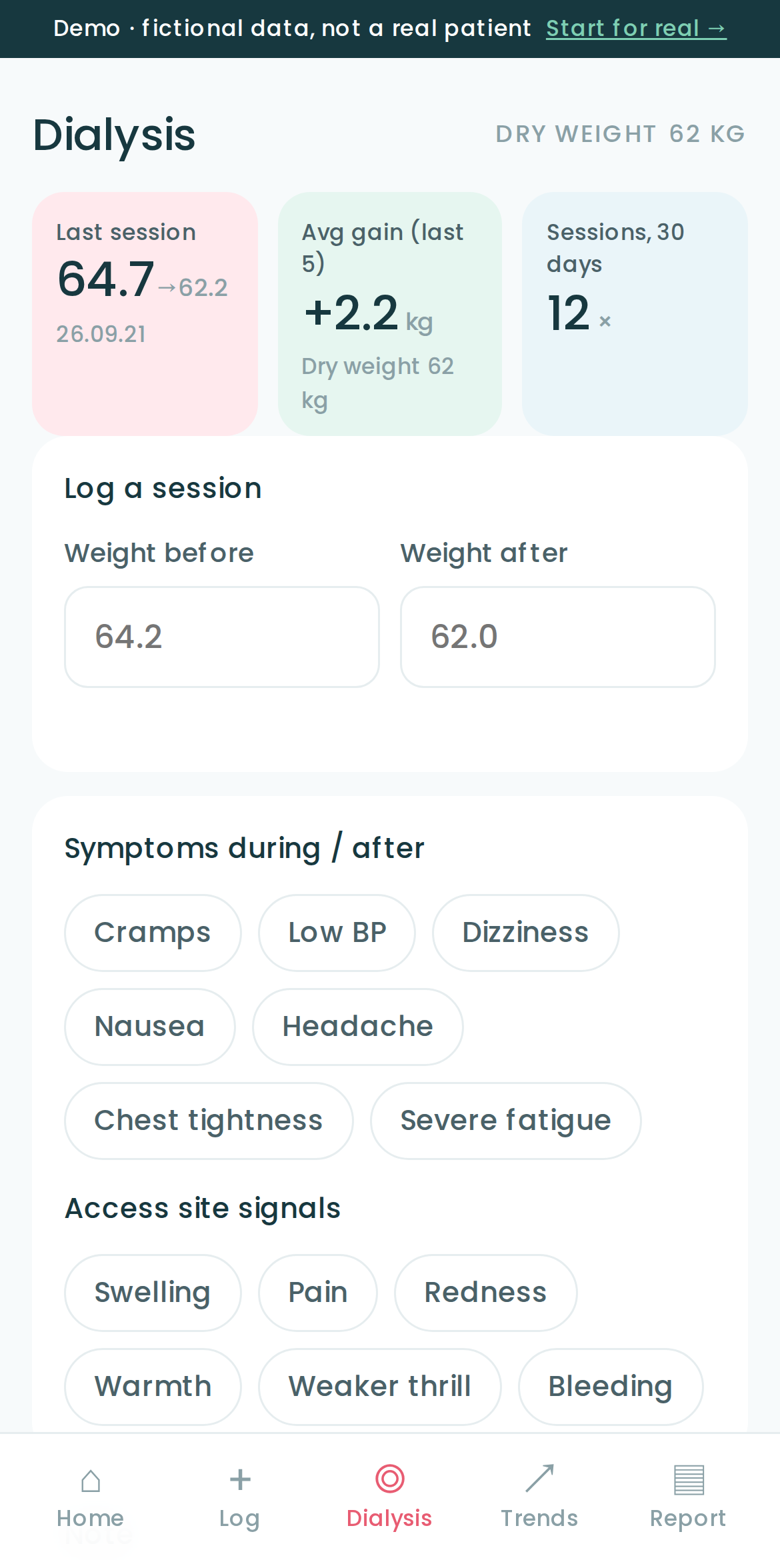
Dialysis tab · hemodialysis demo
My Beanie dialysis screen
Open this screen →
01 · Sessions

Sessions and the gain between them

For hemodialysis, enter weight before and after and the gain since the last session is worked out. For peritoneal, log exchanges, weight and ultrafiltration. Home shows the average gain over the last five sessions.

02 · Dry weight & fluids

Dry weight and daily fluids

Write the dry weight your care team set in Settings and it appears as a dashed line on the trend chart. Count fluids in 200 ml cups with a tap; the daily goal is yours to set.

03 · Signals

Symptoms and access-site signals

Cramps, low BP, dizziness, nausea, headache, chest tightness, severe fatigue — and at the access site, swelling, pain, redness, warmth, weaker thrill, bleeding. Tap only what applies. Counts go on the One-Pager.

04 · Medications

Medication check

Register names only — phosphate binder, BP medication — and tick them on the Log screen. The One-Pager carries the check rate for the period. Doses and timing are never set by the app.
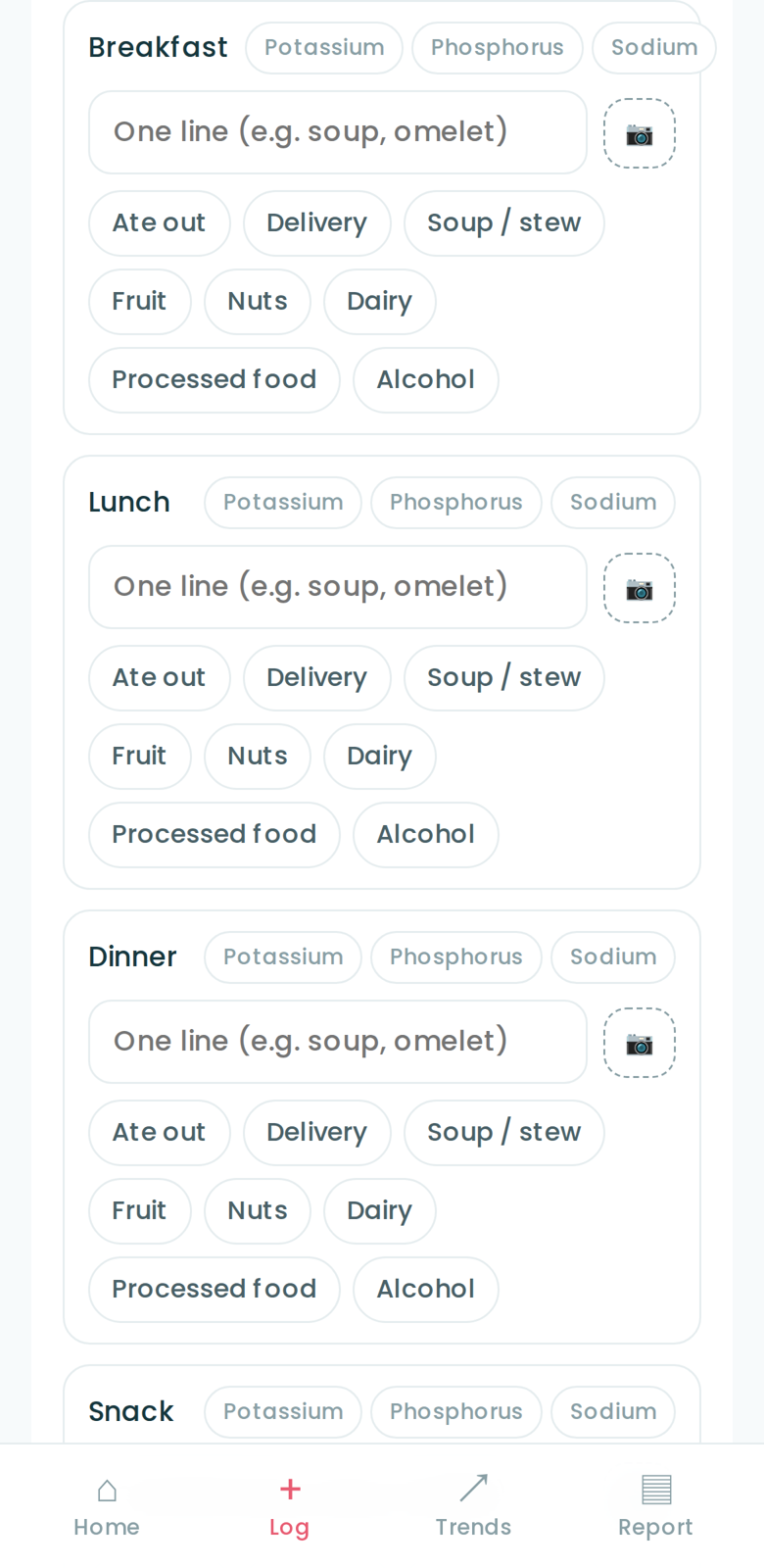
Meals, too

Meals by slot, without counting

Open to everyone, dialysis or not. On dialysis, you will simply use it more often.

Four slots

Breakfast · Lunch · Dinner · Snack

One line and a photo per slot, plus pattern chips — ate out, delivery, soup, fruit, nuts, dairy, processed food, alcohol. There is no field for nutrients.

Caution tags

Potassium · Phosphorus · Sodium

Tag a meal that held something to be careful with. You set your own daily count goal; the app shows how many times today. No milligrams, no verdicts.

Log screen · meals by slot
My Beanie log screen
How to turn it on

Three taps to switch it on

01

Open Settings

The gear at the top right of Home.

02

Add-on · Dialysis log

Choose hemodialysis or peritoneal, add the dry weight your care team set if you have one. Save.

03

The Dialysis tab appears

A "Dialysis" tab shows at the bottom, and the One-Pager gains a dialysis summary automatically.

The dialysis log is a personal health record, not a medical device. Dry weight, fluid allowance and medications are set by your care team; the app shows what you wrote and makes no judgment. If something feels wrong, call your dialysis unit first, not the app.